UCL AI Accessibility Agent

An AI-assisted workflow supporting alt text generation for Moodle learning materials - built in Copilot Studio within the Microsoft 365 environment, in collaboration with the UCL Digital Accessibility team.
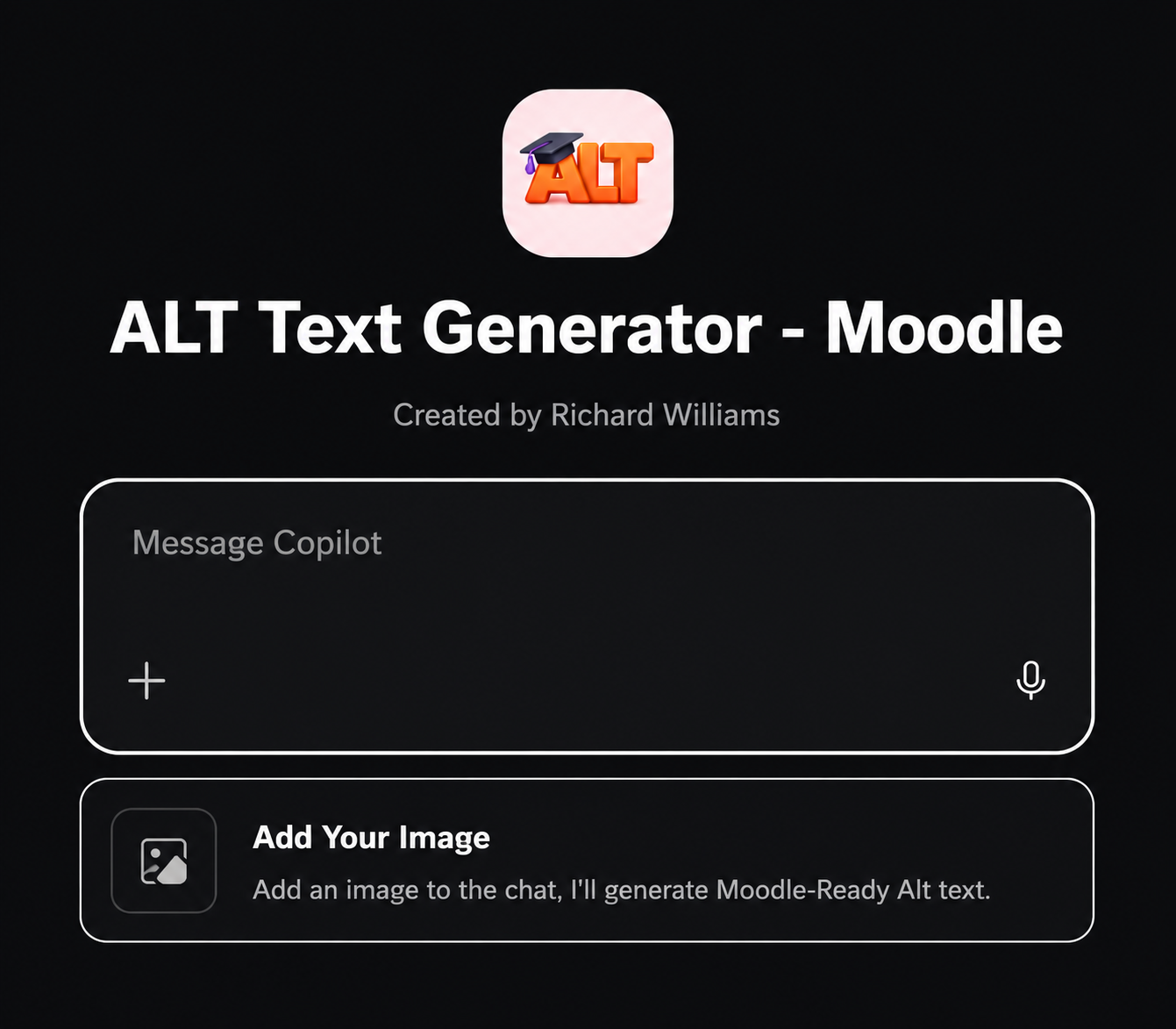
Microsoft Copilot Studio interface showing the AI accessibility agent configuration for UCL STEaPP - designed to support alt text generation for Moodle course images

Microsoft Copilot Studio · Microsoft 365 · Moodle · Accessibility · WCAG 2.2 AA · UCL STEaPP · Staff Guidance · Human Review

Live AI accessibility workflow deployed at UCL STEaPP
Copilot Studio Built within the Microsoft 365 environment
Org-wide Deployed across UCL, not just STEaPP
WCAG 2.2 AA Accessibility standard the workflow supports

1. Project Context

This project is part of my ongoing work at UCL STEaPP as a Learning Technologist, operating at the intersection of accessibility, responsible AI adoption and Moodle-based digital education. It was developed and deployed in 2025, in the context of UCL's broader Microsoft 365 Copilot rollout and growing institutional focus on inclusive digital learning design.

The Public Sector Bodies (Websites and Mobile Applications) Accessibility Regulations 2018 require public sector digital content to meet WCAG 2.2 AA. At UCL, this means Moodle course materials - including images, diagrams and screenshots used in learning resources - must include accurate, meaningful alt text. The absence of alt text creates real barriers for disabled learners using screen readers or other assistive technologies.

The project connects three areas: accessibility compliance, practical AI adoption, and the everyday realities of how academic content is produced and maintained at scale.

2. Problem and Need

Digital learning materials often contain images, diagrams, screenshots and visual resources that require accurate alt text. Across a portfolio of online postgraduate modules, the volume and variety of images makes it difficult for teaching teams to write useful alt text consistently - particularly when authoring is distributed across academic staff who may not have accessibility training.

The problem was not simply "images are missing alt text". The more nuanced problem was:

  • Alt text was inconsistently produced - some present but technically unhelpful (e.g. "image.jpg" or no description of content)
  • Academic content authors were not always aware of what constitutes useful alt text
  • Manual retrospective auditing is resource-intensive and does not prevent the problem recurring
  • The goal was to support accessible content production at the point of authoring, not after the fact

The real design challenge was how to support accessibility without removing human judgement. AI-generated alt text can be a useful starting point, but it requires contextual review - what a screen reader user needs to understand an image in an educational context may differ from a generic description.

The Accessible Content Problem

Without useful alt text: a learner using a screen reader encounters an image and receives no educational information about what it shows or why it is relevant.

The compliance risk: Under the Public Sector Bodies Accessibility Regulations, this is not just a best-practice gap - it is a legal compliance issue for a public sector institution.

The scale problem: Across multiple modules, cohorts and academic years, manual auditing alone cannot keep pace with ongoing content authoring.

3. My Role

My role in this project was as the practical learning technology lead: contributing to the design, build, testing and launch of the AI-assisted accessibility workflow. This was a collaborative project - the UCL Digital Accessibility team were central partners, and the work was developed and deployed with their full involvement and approval.

What I contributed
  • Helped translate the accessibility need into a practical, governed workflow for academic staff
  • Contributed to the design and build of the agent in Copilot Studio within the Microsoft 365 environment
  • Worked with the UCL Digital Accessibility team on scope, responsible use guidelines and appropriate guardrails
  • Supported testing and review of the workflow before deployment
  • Helped develop staff guidance on responsible use, including the expectation that AI-generated alt text requires contextual human review
  • Supported the launch and communication activity around the tool
  • Presented and explained the workflow to colleagues in the context of wider AI adoption work at UCL
What this is not

This project should not be presented as a single-handed build or as replacing UCL's institutional accessibility strategy. Accessibility at UCL involves many teams and processes. My contribution was to the design and deployment of a practical, AI-assisted workflow at the departmental level - one part of a broader institutional accessibility effort.

The project is also not a claim that AI can solve the alt text problem. The value of the workflow is in giving staff a practical starting point that is easier to review and improve than no description at all. Human judgement remains essential.

4. Tools and Platforms

Microsoft 365 Microsoft Copilot Studio Moodle LMS WCAG 2.2 AA accessibility guidelines UCL Digital Accessibility guidance Human review process Staff guidance documentation Responsible AI frameworks

A note on terminology: Microsoft 365 Copilot and Copilot Studio are distinct parts of the Microsoft ecosystem. The agent in this project was built in Copilot Studio, which is the platform for creating custom AI agents, rather than directly in Microsoft 365 Copilot (the general-purpose AI assistant). The agent was deployed organisation-wide at UCL.

5. What Was Built

An AI-assisted accessibility workflow that supports academic staff in generating, reviewing and improving alt text for images in Moodle course materials. The workflow was built in Copilot Studio within the Microsoft 365 environment, with modifications developed in full collaboration with the UCL Digital Accessibility team.

Core workflow design
  • Staff upload an image directly to the agent
  • The agent analyses the image and produces a suggested alt text description, formatted and ready to paste into the Moodle LMS
  • The output is practically usable immediately - it does not require reformatting before insertion into a Moodle page or resource
  • The workflow includes explicit guidance that AI-generated descriptions must be reviewed in educational context before use
  • Staff guidance materials explain what makes alt text useful - not just technically present but educationally meaningful
  • The human review step is built into the workflow by design, not offered as optional
Staff guidance

A set of responsible AI use guidance materials was developed alongside the tool - explaining what the agent does, what it cannot do, and why human review matters. This guidance was written in direct reference to the Public Sector Bodies Accessibility Regulations obligations and WCAG 2.2 AA requirements.

Microsoft Copilot Studio interface showing the AI accessibility agent built for UCL STEaPP - designed to generate alt text descriptions for images in Moodle course materials

The AI accessibility agent in Copilot Studio - built to support staff in generating contextually appropriate alt text for Moodle learning materials.

6. Stakeholders

UCL Digital Accessibility Team

Central partners - involvement in design, review, approval and ongoing guidance development.

Academic Content Authors

Primary users - staff producing Moodle learning materials who need practical accessibility support.

Programme Teams

Responsible for the overall quality and accessibility of online modules.

Learners

The ultimate beneficiaries - particularly disabled learners who rely on accurate alt text to access learning materials.

7. Evidence and Artefacts

  • The deployed AI accessibility agent in Copilot Studio (live at UCL STEaPP)
  • Staff guidance documentation on responsible use and the human review expectation
  • Accessible AI use framework published for STEaPP staff
  • Screenshots of the workflow in Copilot Studio (see image above)
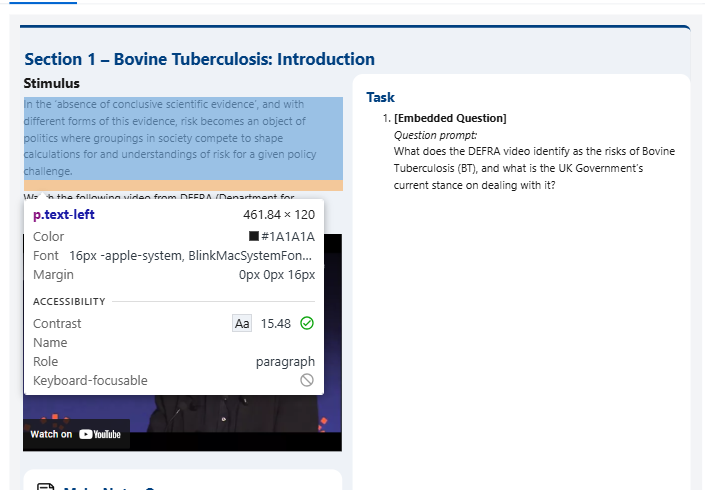
Moodle course page with browser accessibility inspector open showing colour contrast ratio 15.48 passing WCAG AA - illustrating the accessibility testing approach applied to Moodle content

WCAG AA colour contrast testing during Moodle development - accessibility is built into content authoring, not audited afterwards.

8. Outcome and Impact

The AI accessibility agent is live at UCL STEaPP. Staff guidance materials and a responsible AI use framework have been published. The workflow makes it easier for content authors to produce a meaningful first-draft alt text description, reducing the barrier to accessible content production without removing human oversight.
The value of the project is not automation alone. It lies in the creation of a practical workflow that makes accessibility work easier to start, easier to review, and easier to discuss with teaching teams - shifting accessibility from a retrospective audit task to something built into how content is produced.

"This project demonstrated how AI could support, rather than replace, accessibility practice - helping staff produce first-draft alt text that still requires contextual human review before use in live learning materials."

9. Reflection and Learning

The most important design principle in this project was human review. AI-generated alt text can be a genuinely useful starting point, but no AI model has the full educational context needed to produce alt text that is both technically compliant and pedagogically useful. A description that accurately describes what is in an image may still fail to convey why that image matters to a learner, or what about it a student should be paying attention to.

Building human review into the workflow by design - rather than mentioning it in passing - was the key responsible AI decision in this project. The tool is explicitly described to staff as a drafting aid, not a replacement for judgement.

Working in collaboration with the UCL Digital Accessibility team also reinforced the importance of institutional partnership in accessibility work. Accessibility at this scale is not a technical problem with a technical solution - it is a behaviour change and support challenge, where clear guidance, practical tools and ongoing staff development all have a role to play.

Skills demonstrated

Responsible AI adoption Copilot Studio WCAG 2.2 AA Staff guidance development Accessibility compliance Stakeholder collaboration Human-centred workflow design